How to Bring a Website to Life with Procedural Animation
Hi everyone! Today I want to share what I know through a small example and show how you can bring a website to life with procedural animation without filling the page with heavy videos, GIFs, or large amounts of ready-made graphic content. And most importantly, I don’t want to demonstrate it with an abstract square simply moving across the screen. Let’s make the example a little more interesting. But first, I want to tell you where my interest in things like this actually came from.
How It All Started
When I was still studying, I came across a very unusual website. It looked like a small 2D game: a character was running around the page, doing things and interacting with the elements around it. I was fascinated by what I saw. At that point, I didn’t even realize that things like this could be created simply with code. To me, it looked almost like a little bit of magic. That was when I became interested in the idea: What if a website could be more than just a collection of blocks, text, and images — what if it could be a small living environment? Today, many websites are built around a fairly familiar pattern. One block smoothly changes into another, a panel slides in from the side, text appears while you scroll, and an image moves slightly with the cursor. There was a time when effects like these really felt unusual. Today, they are so common that we often stop noticing them. And recently, I came across a website that made me stop again. There were only two elements — a snake’s head and one element of its body. They moved according to a mathematical function, creating the feeling of a complete snake moving across the screen. And I thought:
“Oh, so this is procedural animation!”
And that was interesting. Because you don’t need to create hundreds of ready-made frames of movement. You can define rules that determine how objects should behave, and then the browser calculates their positions. I liked this idea precisely because it was unusual. This isn’t just another effect that happens to be trendy right now. It is an opportunity to create something of your own.
What Is Procedural Animation?
In very simple terms, procedural animation is animation that isn’t stored as a ready-made video. We define the rules: the shape; the size; the direction of movement; the speed; what should happen at each step. Then the browser follows those rules and creates the movement itself. To make this easier to understand, I created a small example involving a 3D printer. Imagine that a printer nozzle is printing a leaf. First, there is only its shape. JavaScript “scans” it using horizontal lines, determines where each section begins and ends, and creates a sequence of lines. Then those lines are “printed” one after another while the nozzle moves along them. As a result, we get this website animation:
The interactive animation of the leaf being printed goes.
In other words, we didn’t record a video of a printer printing a leaf. We described the rules according to which the process should happen. And the browser creates the animation directly while the page is running.
How Is It Different from Regular Animation?
Imagine a typical GIF animation. First, you create the frames: frame 1 → frame 2 → frame 3 → frame 4 → and so on. Then the browser simply displays them one after another. Procedural animation uses a different approach. We can say:
“Move from this point to that point at speed X.”
Or:
“Stay on this curve and change your position according to a given function.”
Or even:
“Generate a new pattern every time according to these rules.”
So instead of creating a ready-made sequence of frames, we create a system that generates those frames. And this is exactly what makes procedural graphics so interesting.
The Advantages of This Approach
1. You Don’t Need to Load a Ready-Made Video
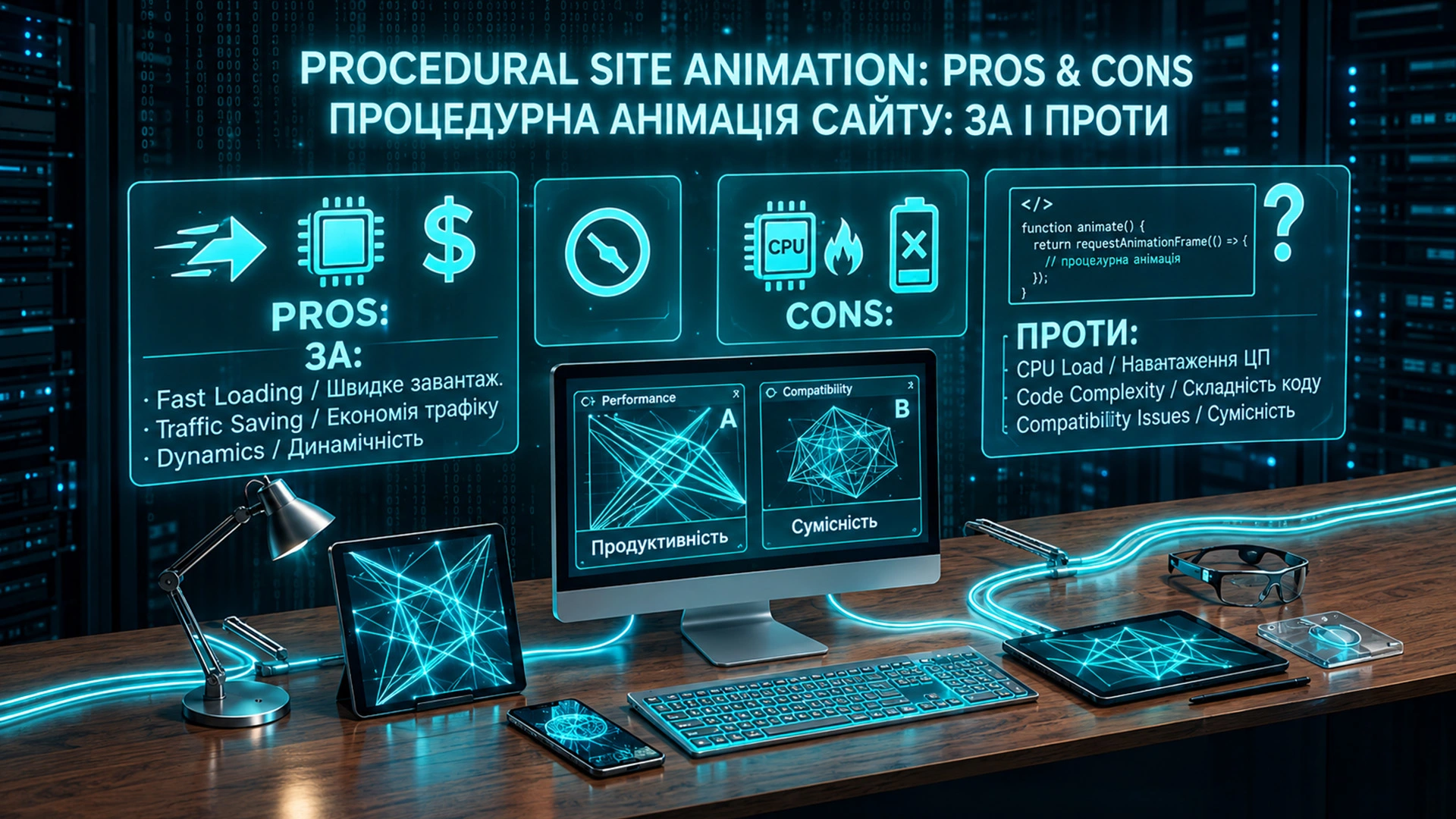
For small graphic scenes, you can use code and geometry instead of a video file. This can be a good solution when you need to create lightweight decorative or interactive animation without adding a large media file. But it is important not to exaggerate this advantage. Procedural animation does not mean zero performance cost. The browser still has to execute the code, calculate coordinates, and render the frames. So it is more accurate to say: we can avoid a heavy video file, but instead we get calculations that happen while the page is running. The more complex the scene, the more work the browser has to do.
2. Animation Can React to the User
And this is where things get really interesting. Website animation doesn’t necessarily have to simply play from beginning to end. It can react to what a person is doing. For example: the user moves the cursor — the object reacts; the user scrolls the page — the next stage starts; the user clicks a button — the behavior of the scene changes; the user changes a parameter — the animation itself changes. So a website doesn’t have to simply display information. It can respond to a person’s actions. And then an interactive website becomes more than just a page. It becomes a kind of experience for the user.
3. You Can Create Unique Effects
There are millions of ready-made animations on the internet. But when an effect is created specifically for a particular website, it stops looking like another template. And this can be especially interesting for small brands, portfolios, creative studios, and personal websites. You don’t have to compete by adding the largest number of effects. Sometimes one effect is enough — if it is something people remember. That is why, when it comes to web development, I wouldn’t make my goal adding as many moving elements as possible. It is much more interesting to come up with one visual idea that is connected specifically to the project.
Animation as Part of Recognition
In my opinion, this is one of the most interesting possibilities. Imagine that someone visits a website and sees not just the standard block:
“We create high-quality websites.”
But something that is difficult to confuse with another website. For example, you might have your own character, mechanism, or visual metaphor that actually lives on the page. People may not remember the exact font. They may not remember the color code of the button. But they might remember:
“Oh, that’s the website with that cool design.”
And this is when animation stops being just decoration. It becomes part of the visual identity of a brand and helps create website recognition. That is why unconventional website animation can be particularly interesting for small companies and personal brands. You don’t necessarily need a huge advertising budget to be memorable. Sometimes it is enough to create an experience that people don’t encounter on every second website.
But There Are Downsides Too
Procedural animation is not a magical “make it beautiful” button. It has to be developed. You can record a video. You can upload a GIF. You can buy a ready-made animation. But procedural animation has to be designed and programmed. Sometimes creating a short scene can take much more time than it seems at first. So if you simply need to show a short video, a complex animation for a website may be completely unnecessary.
Code Has Its Own Cost
As I mentioned above, not having a video file doesn’t mean that animation puts no load on the device. If hundreds or thousands of elements are moving on the page at the same time, the browser has to continuously calculate and render them. That’s why you have to think not only about how something looks, but also about website performance. Well-designed procedural graphics can be an effective solution for a specific task. But a poorly optimized complex scene can absolutely make a website slower.
You Have to Think About Mobile Devices
Something that works beautifully on a powerful computer can behave very differently on an older smartphone. That is why mobile adaptation is an important part of the work. Sometimes it is better to simplify the scene for phones or disable a complex interactive animation altogether. It is better to show the user a simpler but smooth animation than a beautiful scene that turns their smartphone into a tiny space heater.
Animation Can Become a Distraction
This is probably the most important downside. If a user comes to find a phone number, an address, or buy a product, but the page keeps spinning, flying, and flashing — it may look beautiful for the first few seconds. After that, it is simply annoying. So good website animation should help the user rather than constantly demanding their attention.
Who Is It For?
Procedural website animation is particularly interesting for projects where visual presentation matters.
Creative Studios and Designers
You can show not only the final result of the work but also the process of creating it.
Manufacturers
You can show the journey from raw material to finished product.
Technology Companies
You can explain a complex process through a simple visual story.
Craftspeople and Small Local Businesses
Even an ordinary business website can become recognizable if the animation is directly connected to the person’s work.
Personal Websites and Portfolios
This is where generative graphics can become part of the person’s visual identity itself.
Not simply:
“Here is my portfolio.”
But:
“Here is how I think, create, and work.”
Who Should Probably Avoid It?
If the main goal of a website is to provide information quickly, complex animation may be unnecessary. For example: news websites; reference resources; simple informational pages; websites where a significant part of the audience uses low-powered devices; pages where animation doesn’t add any meaningful value. And I definitely wouldn’t use procedural animation simply because “having an animated website is trendy right now.” First there should be an idea. Then — animation. Not the other way around.
And It Is About Much More Than Moving an Image
In this example, we did something fairly simple: we took the shape of a leaf, found the areas inside it, and turned them into a sequence of lines. But this principle can be taken much further.
Generative Backgrounds
Every page load can create a slightly different pattern.
Interactive Logos
A logo can react to mouse movement or user actions.
Process Visualization
An object can assemble, break apart, print, build itself, or transform right in front of the user’s eyes.
Generative Illustrations
A website can create visual compositions itself according to a defined set of rules.
Interactive 3D Scenes
The user doesn’t just look at a model — they can interact with it. And the most interesting part is that all of this can become part of the website itself rather than a separate video simply inserted between content blocks.
How Can This Be Used in Website Development?
What I like about this approach is that there isn’t one ready-made template. You can build the animation around the business itself. If it is a craftsperson — show the tools and the working process. If it is manufacturing — show how the product is made. If it is a designer — turn the creation of the work into a small story of its own. If it is a technology project — visualize something that is difficult to explain with words. So when it comes to website development, you can start not with the question:
“What effect is popular right now?”
but with another one:
“What is unique about this particular business, and how can we show it through movement?”
And then animation stops being decorative. It becomes part of the website concept.
Can You Do This Without Complex Video?
Yes. That is one of the advantages of the procedural approach. We can create animation without video using SVG, JavaScript, and mathematical rules. That doesn’t mean video is no longer useful. Video remains an excellent tool for many tasks. But if we need to create a simple geometric scene, object movement, a generative effect, or interactive graphics, there is no reason to automatically reach for a video file. Sometimes code can be a much more interesting tool.
So, Should You Use Procedural Animation?
I would put it this way: Don’t use procedural animation just to make a website look prettier.
Use it to make the website clearer, more interesting, or more memorable.
Then it stops being just an effect. It becomes part of the user experience. And that, in my opinion, is the most interesting thing about procedural graphics for the web. We don’t just have to draw something beautiful. We can define the rules — and let the browser turn them into a living scene. And then the question is no longer: “How do we make it move?” The much more interesting question is:
“What exactly do we want to tell through this movement?”
If You Don’t Want Yet Another Template
These are exactly the kinds of experiments I like to bring into my web development work. With WebAnd3D, I want to create more than pages with text, images, and standard effects. I want to create websites that have their own character. If you are planning to order a custom website and don’t want another template with typical animations, sometimes it makes sense to start not with a ready-made design, but with an idea. What could move? What could react? What could you show instead of simply describing it with text? And maybe that question is where your website will begin.
WebAnd3D — websites that don’t necessarily have to look like all the others.