Cloudflare R2 for STL Files: DNS and Domain Setup
About ten years ago, I was sitting in an office, closing tickets and building websites for other people’s businesses. There were other developers sitting nearby. We clicked buttons, wrote code, fixed things, broke things, and then fixed whatever we’d broken. Just another day at the office. Our clients were people who had reached that wonderful conclusion:
“Maybe we need a website so people can find our business online?”
And we built those websites for them. Now, here’s the question: why didn’t I start building something of my own back then? I don’t know. Maybe my brain was busy with more important matters. Like figuring out whether it was time to go home and what we were having for dinner. About ten years later, here I am, sitting at a computer again. Only now, I’m the client, the developer, the tester, and the person asking,
“Who came up with this thing, and why isn’t it working?!”
Spoiler: I did. And it’s my thing that isn’t working.
I Just Wanted to Upload Some STL Files. Honestly.
These days, I’m growing WebAnd3D — my own little creative universe where web development, 3D modeling, and 3D printing come together. I wanted to add a library of STL files for 3D printing to my website, so people could download my models and print them at home. Seems simple enough, right? There’s a website, there’s a file. Upload the file, people download it. Done. Time for tea. But no.
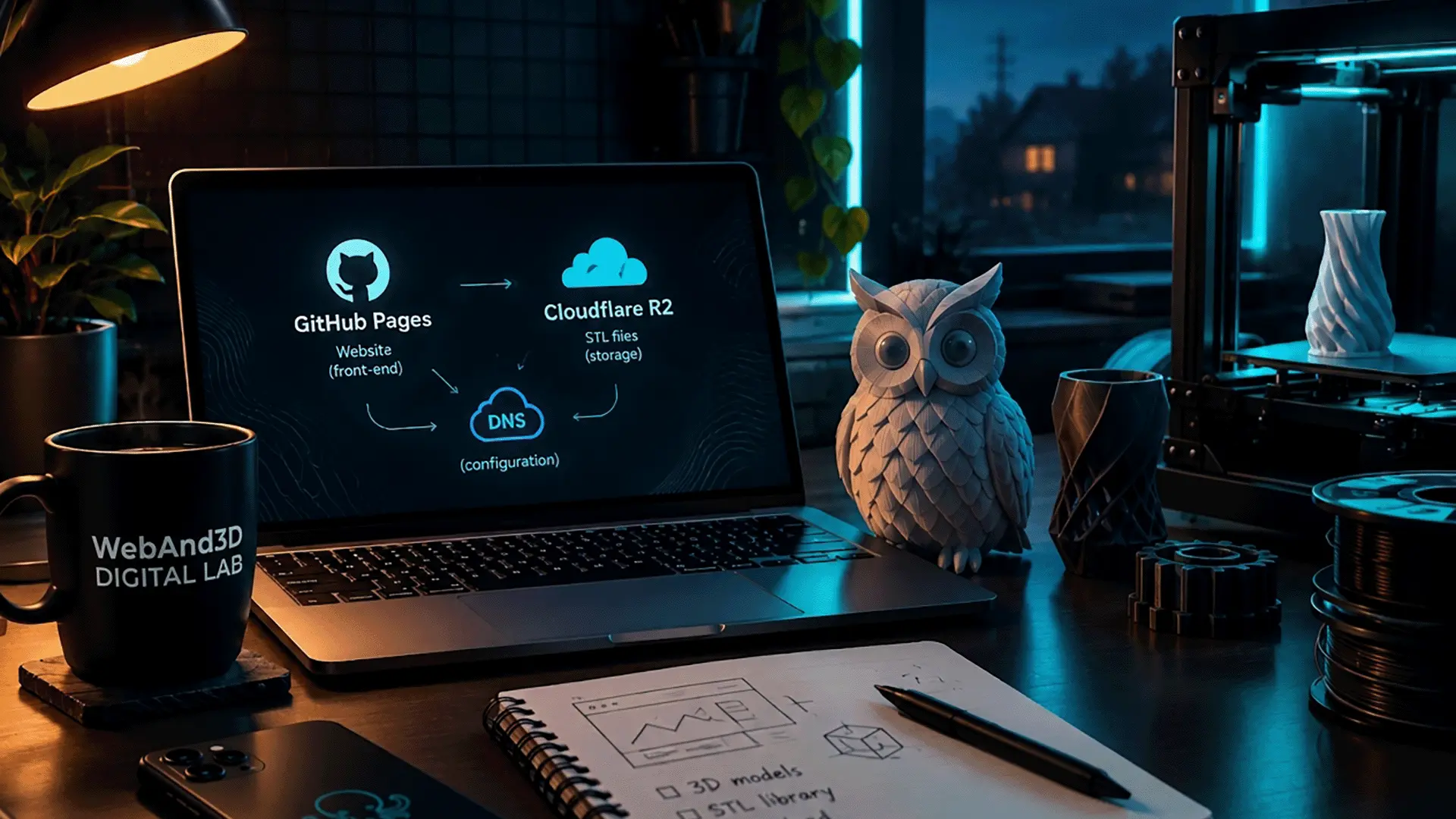
My website runs on GitHub Pages, and storing lots of files there isn’t the best idea. So I went looking for cloud storage for STL files, preferably free. Because, yes, I love my project, but I’m not quite ready to pay for every little breath of air it takes. That’s when I found Cloudflare R2. Its free tier includes up to 10 GB-month of storage, subject to the plan’s terms. For my STL files at this stage, that sounded fantastic. In my imagination, I’d already arranged all the files neatly on their shelves. I could almost hear users happily clicking the Download button. And then DNS showed up.
DNS. Couldn’t I Just Download a File?!
My domain is registered with Namecheap, my website lives on GitHub Pages, and I want to store my files in Cloudflare R2. Three services. One website. And me in the middle, looking like someone who just wanted to put a plastic owl on the internet. It turned out that, to make everything work neatly, I needed to hand over DNS management to Cloudflare. In other words, I had to configure Cloudflare DNS for my own domain without moving the website to another hosting provider. In simple terms, DNS is like the internet’s phone book. You enter a website address, and the system helps figure out where to send the request.
But in my case, I had to hand that phone book over to another employee. Without changing the address itself, evicting my website from GitHub, or moving the whole operation to a new host. So the domain stays with Namecheap, the website stays on GitHub Pages, and Cloudflare takes over DNS management. That’s essentially what setting up domain DNS through Cloudflare means. Sounds logical. Even simple. Except for the moment when you open the settings, stare at a pile of records, and think:
“Right. If I click the wrong thing now, I’ll end up with an archaeological dig instead of an STL library.”
So I checked my DNS records, added the domain to Cloudflare, and replaced the nameservers at Namecheap with the ones Cloudflare gave me. And then I saw the status: “Pending”. Of course. Why would any of this happen without a little emotional drama?
Meanwhile, the Power Goes Out Somewhere Outside
Here’s a separate subplot: Ukrainian IT with power lost. You plan your workday, write down your tasks, and think you’ll get everything configured in peace. Then the power outage schedule decides your plan isn’t creative enough. The power can be lost, plans can change, and there you are, thinking:
“Right, while the connection still works, I’d better finish the DNS setup.”
Somewhere along the way, I realized that my new job was starting to look suspiciously like my old one. Sitting at a computer again, configuring websites, figuring out unfamiliar services, and trying to make everything work. The only difference is that I used to close tickets for clients. Now I can assign myself a task that reads:
“Make it work without breaking anything.”
Deadline? Yesterday. Who’s responsible? Me. Who’s to blame if it doesn’t work? Also me. A brilliant system.
So Why Did I Get Myself Into This in the First Place?
Honestly? I don’t know where WebAnd3D will take me. Maybe it’ll grow into something bigger. Maybe I’ll find my niche. Maybe, a while from now, I’ll look back and think:
“Wow, I certainly created some adventures for myself.”
But I don’t have to know the final destination anymore. About ten years ago, I built websites for people who wanted to grow their own businesses. Now I’m trying to do the same thing for myself. And yes, I could spend ages wondering why I didn’t start earlier.
Why I didn’t launch my own project when I already had the experience.
Why people so often help others build their dreams but take ten years, three plot twists, and one enormous 3D printer to get around to their own. But what now? Turn back time and have a serious conversation with my twenty-five-year-old self?
“Hey, you. Yes, you Yuliia, listen carefully. One day, you’ll buy a 3D printer. It’ll be big as your wardrobe. And then you’ll voluntarily dive into DNS.”
She wouldn’t have believed me. To be fair, I don’t always believe my present-day self either. But I’m trying. I make models, print things, write code, break things, fix them, and look for solutions. And little by little, I’m putting something of my own together.
Because I think the path doesn’t always become clear before you start walking it. Sometimes it comes together through mistakes, failed attempts, ups, and downs. And sometimes — through incorrectly configured DNS. Still a learning experience. Just less photogenic.
Now, if you’ll excuse me, I have a plastic things waiting for its digital address.